


An ECG app download doesn’t give your clinic a working ECG system. Bluetooth ECG for iOS needs a compatible recorder and the right app. The iPhone or iPad and its operating system (OS) must also be supported. Your team needs a clear way to review the recording.
Your clinic may already have Apple devices it hopes to reuse. An app may install on a tablet. That does not confirm support for your recorder or the report function you need. The useful question is whether the complete setup fits the test and reporting process your team needs.
This guide explains how to evaluate Bluetooth ECG for iOS before requesting equipment. You’ll learn which part of the connection is wireless, how recording differs from other ECG software, and what to include in a setup record. It also follows the recording through review, printing, storage, and possible integration.
The equipment examples draw on V&H’s product and app descriptions, alongside Apple’s platform guidance. Use them to frame supplier questions. Follow the current instructions for use, and leave clinical testing decisions to a clinician.
Key Takeaways
- Bluetooth ECG for iOS connects specified recorder hardware to a compatible app; the app alone isn’t the recording system.
- A wireless recorder-to-tablet connection does not remove patient cables or electrodes required by the chosen system.
- Verify the recorder, app version, Apple device, OS version, and required functions together.
- Report export, AirPrint, cloud storage, and hospital interfaces are separate functions to confirm.
- Keep clinical interpretation with qualified professionals and request documents for the exact model and destination market.
What Bluetooth ECG for iOS actually connects
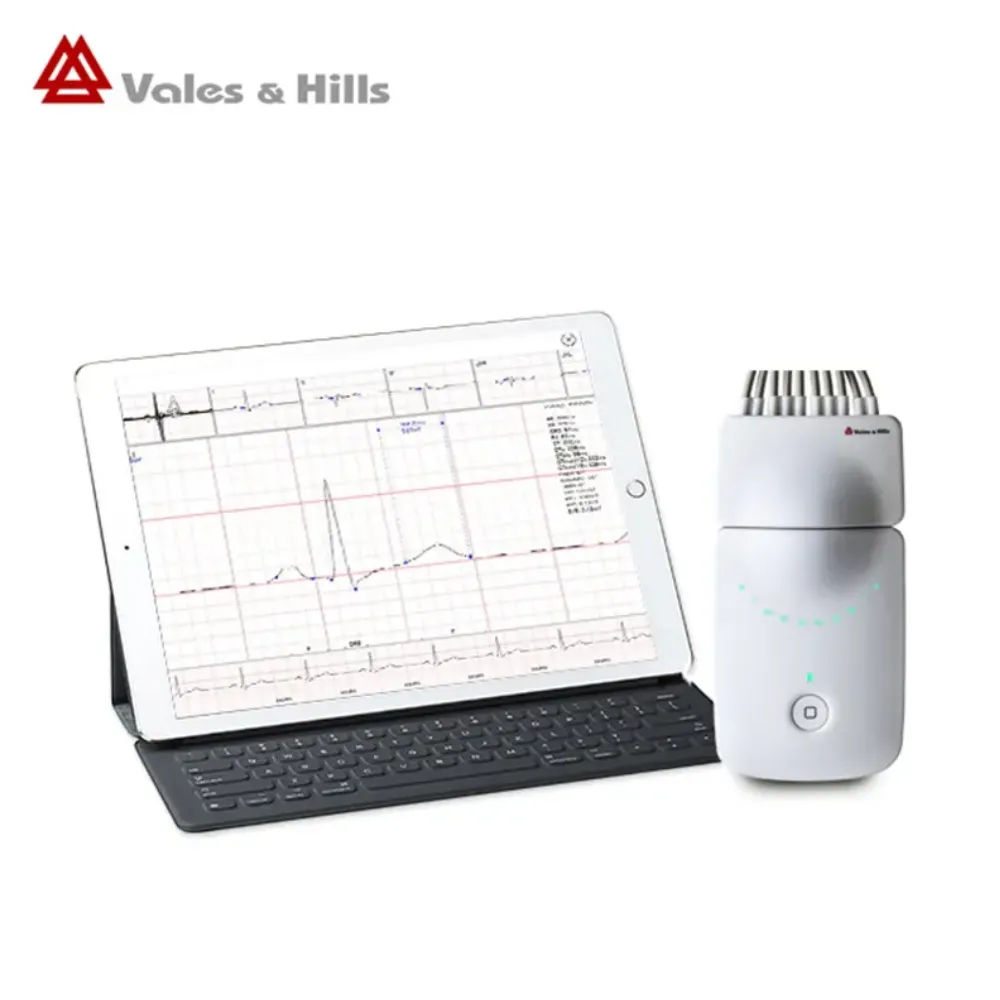
An electrocardiogram (ECG, also called an EKG) records the heart’s electrical activity. The recorder acquires the signal. In a compatible mobile setup, it sends data to the app on the Apple device. The app provides the functions described for that setup, such as waveform display, recording, and review.
A practical equipment comparison has four parts:
- Patient connection: the electrodes and patient cable specified for the test.
- ECG recorder: the hardware that acquires the signal.
- Mobile host: the supported iPhone or iPad running the specified app.
- Report destination: the place where an authorized team reviews, prints, stores, or transfers the result.
With Bluetooth ECG for iOS, “wireless” can describe the recorder-to-host link. It doesn’t establish a cable-free patient connection. Leads and electrodes are different. A 12-lead ECG describes the electrical views; it does not mean 12 electrodes.
Comparing equipment options? Review V&H’s iOS ECG product range alongside your test and platform needs.
Before comparing screen layouts, sketch where each part sits in your room or mobile service. Who carries the tablet?
Where will the recorder be placed? Who confirms that the recording belongs to the correct patient? These questions make Bluetooth ECG for iOS a workflow discussion rather than a comparison of app icons.
A compact recorder can change how staff handle equipment. Its size alone does not prove a shorter test, better signal quality, or better clinical outcomes. Evaluate those needs through the chosen equipment’s documents and your organization’s assessment process.
Choose the ECG workflow before comparing apps
Start with the test your service has chosen to provide. Bluetooth ECG for iOS can appear in searches alongside heart-rate tools, waveform viewers, and monitoring products. Their names may overlap while their inputs and purposes differ.
Recording, monitoring, and analysis serve different tasks
Use this table to define the task before building a shortlist:
| Need | What to identify | What the label alone doesn’t establish |
|---|---|---|
| Resting ECG recording | Recorder, lead setup, app, and supported host | Longer-duration ambulatory monitoring |
| Holter ECG monitoring | Recorder, recording modes, transfer method, and review software | Equivalence to a resting ECG setup |
| Heart-rate display | Sensor input and the data actually shown | An ECG waveform or professional ECG recording |
| Existing ECG analysis | Supported waveform files or images and analysis functions | A live connection to an ECG recorder |
If your team needs a wireless 12-lead ECG, state that in the request. A heart-rate display and an app that reads ECG images serve different tasks. Running on an iPhone does not make either a substitute for the requested system.
Bluetooth ECG for iOS is also a connection description, not a clinical authorization. Ask which intended use applies to the hardware and software offered. Request the relevant documents for your target market. A listing in an app marketplace doesn’t answer that question.
A practice manager defines the test
Fictional planning example: Sam manages purchasing for a practice with two spare iPads. The initial request says, “Find an ECG app for these tablets.” Sam asks the clinical lead to define the test and asks IT to record both tablet models and OS versions.
The purchasing request becomes a resting ECG recorder-and-app setup, with report review assigned to the practice’s clinician. The outcome is a clearer specification, not a claim that either iPad has passed testing or that equipment has been deployed.
That is a useful first step when evaluating Bluetooth ECG for iOS: name the task before choosing the software.
Check compatibility for Bluetooth ECG for iOS as a system
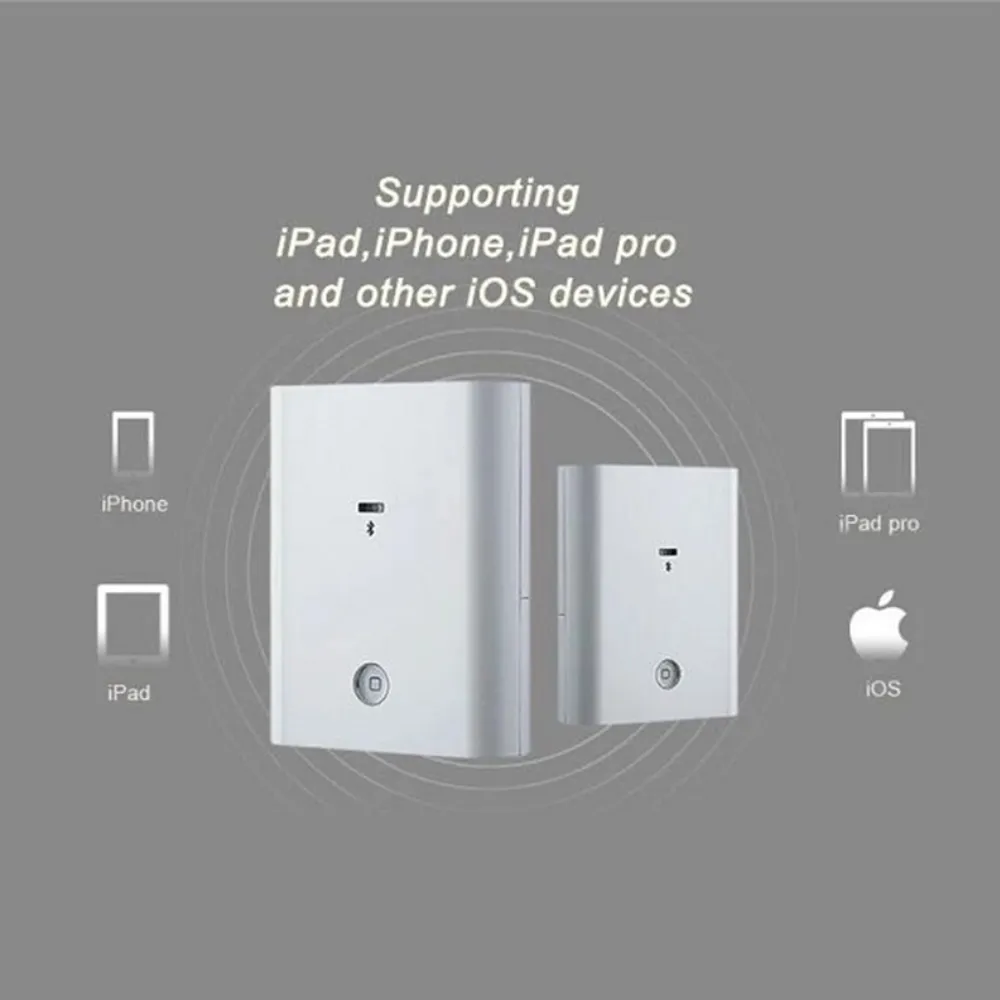
An app’s minimum OS version is one installation requirement. It does not validate the full system. Check the recorder, app version, Apple host, and OS together for the work you need.
Check iOS ECG compatibility across the complete setup. For iPad hosts, include the exact iPadOS version rather than relying on “iOS compatible” as shorthand.
Build a model-specific setup record
For each planned Bluetooth ECG for iOS setup, collect:
| Field | Details to record |
|---|---|
| Recorder | Full model identifier and relevant hardware revision |
| App | Exact app name, version, and required software options |
| Apple host | iPhone or iPad model and available storage needs |
| Operating system | Exact version and the supplier’s support details |
| Test | Signal acquisition and recording functions |
| Reporting | Required export, printing, review, and storage functions |
| Confirmation | Source document, date, and person or team confirming scope |
Keep the record with the quotation. A supplier answer about one iPhone model shouldn’t silently become approval for a different iPad. Review support before updating the OS on a device used in your service.
For Bluetooth ECG for iOS on existing tablets, provide a device list. “We use Apple” leaves the supplier without the model and version details needed for a useful response.
Separate Bluetooth, Wi-Fi, and permissions
Check which connection carries the waveform. Then check which supports printing or other network functions. An iOS ECG product may use Wi-Fi rather than Bluetooth for recording. A setup may also use different connections for recording and report handling.
Apple explains that apps must request access to Bluetooth functions on applicable platform versions. Its Bluetooth privacy settings guidance shows where access can be allowed or revoked. This is platform guidance, not proof that any specific recorder is compatible.
For Bluetooth ECG for iOS, follow the app and recorder’s current instructions for connection. Don’t assume a consumer accessory’s pairing sequence applies. The Bluetooth ECG pairing and troubleshooting guide provides background. Use the chosen model’s instructions for operation.
If a demo is available, agree on what it should establish. Seeing a sample waveform can explain the interface; it doesn’t demonstrate your recorder, your host, or your report destination. Keep those observations separate in the evaluation record.
Follow the ECG from recording to a usable report
A purchasing decision about Bluetooth ECG for iOS should follow the recording beyond the live waveform. A useful recording setup still needs a review and reporting process that the organization can operate.
Define who reviews what
Identify who starts the test and checks the recording. Assign who reviews automated measurements and confirms the clinical interpretation. Automated analysis supports professional review; it doesn’t remove that responsibility.
Ask what happens when a record needs correction, a repeat test, or a clinician’s comment. Keep patient identification and record-selection checks in the workflow. This guide describes evaluation questions, not a substitute protocol for recording or interpreting an ECG.
When comparing Bluetooth ECG for iOS options, separate the displayed waveform from the saved record and the final report. Confirm what each retains. Then check which functions your app license includes.
Distinguish export, printing, storage, and integration
A PDF is a document format. A PDF export does not establish an electronic medical record interface. If you need an EMR connection, name the receiving system, format, and required fields. Agree on who tests the interface.
Printing has its own needs. Apple’s AirPrint guidance sets out three needs. The app must support printing, the printer must support AirPrint, and the network setup must be suitable. Bluetooth recording should not be described as Bluetooth printing.
For Bluetooth ECG for iOS, ask these questions before agreeing on the report workflow:
- Can the planned app produce the required report format?
- Where will the clinician review and confirm it?
- How will authorized staff retrieve an earlier record?
- Which storage or cloud functions require separate accounts or licenses?
- What access, retention, backup, and sharing rules must the setup meet?
Have your clinical and IT teams assess the answers against local policy. An export menu may offer email or consumer sharing apps. That does not make them suitable for your team’s patient data.
Moving from evaluation to deployment? Read the clinic setup and workflow guide to organize the next discussion around the chosen setup.
Where V&H’s iOS ECG products fit
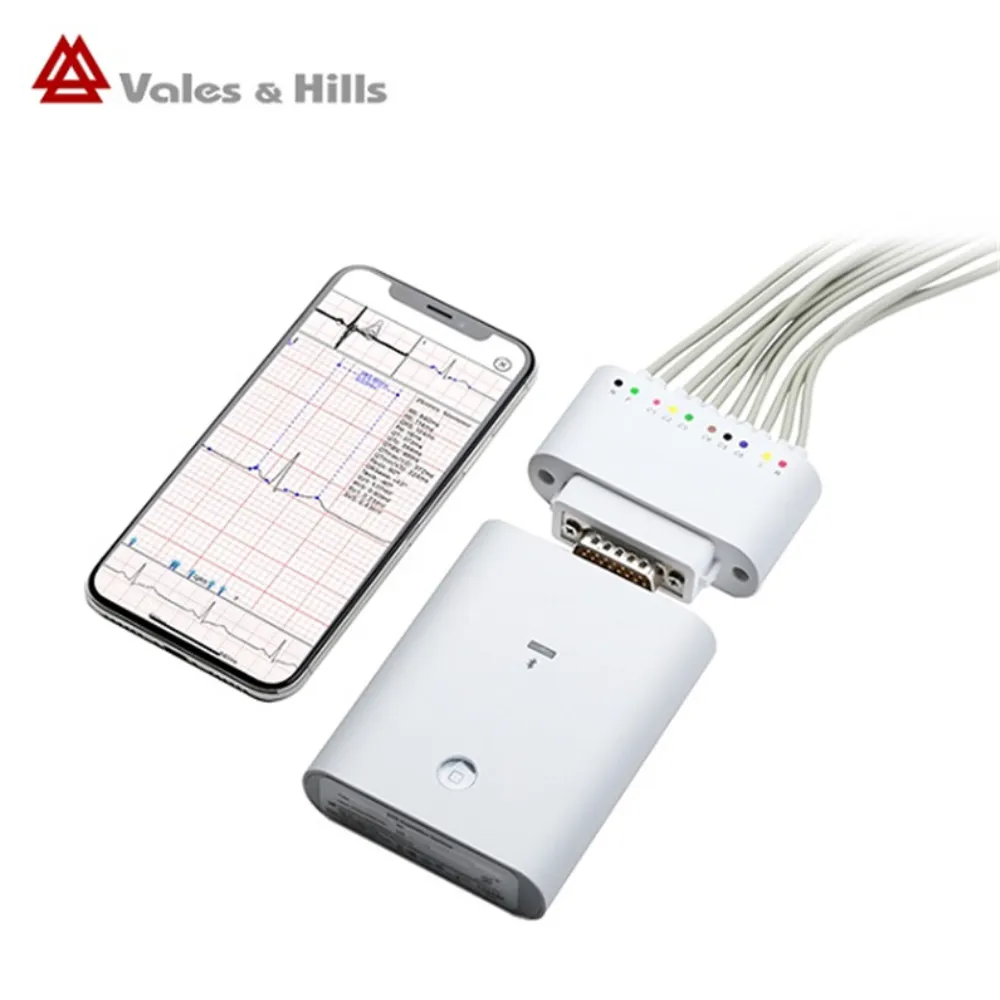
Vales and Hills Biomedical Tech. Ltd. (V&H) describes iOS ECG equipment and related software.
For buyers considering Bluetooth ECG for iOS, these products and app details provide a starting point for a professional equipment inquiry.
The developer’s vhECG Pro App Store description describes a Wi-Fi or Bluetooth connection to VHMedical ECG hardware. It says the app displays data in real time. It also states that the app and device are designed for doctors. That description should not be read as universal support for every recorder and Apple device.
For an ECG for iPad project, ask V&H to identify the recorder and app combination planned for your host model and OS. Include the test, reporting needs, and destination country. Those details help keep the discussion specific without assuming availability or authorization.
V&H’s iCV200(BLE) integration and SDK information describes an iOS software development kit, including device scanning, connection, and waveform drawing. It names Objective-C and Swift. The page states that a physician must confirm possible interpretations.
That is a basis for a technical inquiry about Bluetooth ECG for iOS. It is not a promise that a hospital interface, custom app, or finished integration is included. Ask about the SDK’s version, documents, license, and supported functions. Agree on who develops and tests the work.
For Bluetooth ECG for iOS, apply the same care to cloud and sharing functions. Confirm the setup and commercial scope before treating a capability as part of an order. A product-family description does not settle where data is stored or how long it is kept. It also does not prove security certification or service coverage.
Compare complete quotations for Bluetooth ECG for iOS
Once the workflow and setup are clear, compare the planned package. A headline price has little meaning if one quotation includes software or accessories that another treats separately.
For Bluetooth ECG for iOS, request an itemized proposal. List the recorder, patient cable, electrodes or consumables, software options, and report needs. State who supplies the Apple host. Ask which items are included and which require a separate purchase or agreement.
Also record the scope of training, technical support, warranty, replacement parts, and delivery terms. Obtain the applicable written terms for the order. Don’t infer them from a demo, an older brochure, or a statement that a supplier serves international markets.
A distributor separates two clinic needs
Fictional planning example: Lea is preparing proposals for two clinics. One clinic wants reports reviewed locally; the other has asked about a hospital interface. Lea creates two requirement sheets instead of offering the same package to both.
Each sheet lists the Apple hosts, software functions, destination market, and open questions about licensing and data handling. The outcome is two defined quotation scopes, with interface feasibility still awaiting documents. No clinical deployment, clearance, cost saving, or successful integration is implied.
This approach makes Bluetooth ECG for iOS comparisons more useful because the commercial scope follows the actual need. A claim such as “cloud included” needs an explanation of what the service covers, who administers it, and what the agreement provides.
Keep unanswered questions visible when reviewing proposals. Mark a feature as confirmed only when the relevant documents or a written answer support the chosen setup. A blank field is a request for clarification, not evidence that a supplier lacks the feature.
Questions to answer before requesting a setup
Can an iPhone record an ECG without an external recorder?
An app alone doesn’t provide the ECG recording hardware described in this guide. A Bluetooth ECG for iPhone setup needs the compatible recorder and patient connection specified for that system. Other accessories and wearable products have their own intended uses; don’t assume they provide the same test.
Does Bluetooth remove patient cables and electrodes?
Bluetooth ECG for iOS can replace a wired recorder-to-host connection. It doesn’t eliminate the electrodes or patient cable required by the chosen recorder and test. Check the supplied accessories and current instructions for use rather than inferring the patient connection from a product photograph.
Does an app listing prove my complete system will work?
No. Use the listing to identify the app and its installation needs, then confirm the complete recorder/app/host/OS combination. App availability also does not establish medical-device authorization in your country.
Can the report go straight into our clinical record?
Confirm the exact report and receiving-system needs. Exporting a file, printing it, uploading it manually, and using an EMR interface are different workflows. Bluetooth ECG for iOS does not establish any of those functions without app and setup evidence.
Is a resting ECG app the same as a Holter or heart-rate app?
No. Compare intended tasks and inputs. Assess resting ECG systems, longer-duration recorders, heart-rate displays, and ECG analysis apps against their own intended tasks. The clinical team determines which test the service needs.
Your next step
Before choosing Bluetooth ECG for iOS, bring the clinical, technical, and purchasing needs into one record. Start with the test, then list the recorder, app version, Apple host, OS, and report destination. That gives everyone the same setup to assess.
Next, separate confirmed functions from open questions. Check patient accessories, software options, local documents, and commercial scope. Ask for evidence that applies to the planned equipment rather than relying on broad statements about wireless connectivity or platform support.
Use the reporting need to guide the final discussion. Decide who reviews the ECG, how the approved report is stored, and whether another system needs a file or an interface. Keep clinical interpretation with qualified professionals and operating procedures tied to the current instructions for use.
Send your ECG configuration requirements to V&H with your intended test, recorder interest, Apple device details, destination market, and reporting needs. Those specifics provide a practical starting point for discussing the planned equipment and requesting current details.
Post time: November 24, 2026


