


A cable that fits the socket still needs the right model approval. Choose wireless ECG accessories by checking the patient cable, electrode connection, power supply, and reporting equipment against the exact recorder and software your team uses.
The recorder is only one part of a working kit. In a professional wireless setup, the link to a tablet or computer can be wireless while cables still connect the patient to the recorder. ECG means electrocardiography, the recording of the heart’s electrical activity. EKG is another abbreviation for the same examination.
For purchasing teams, a familiar product photograph rarely answers the whole question. You need to know which cable end to order, whether electrodes are included, how supplies are packed, and which replacement parts match the equipment already in service. Those details deserve their own lines in the quotation.
This guide explains how to turn an accessory catalogue into a usable buying list. It draws on current V&H product listings and clearly attributed examples from other suppliers. Use it to compare parts, plan routine supplies, and prepare an inquiry; use the current manufacturer’s instructions for operation, cleaning, and replacement.
Key takeaways
- V&H lists separate 10-lead patient cables for iCV200(BLE) and iCV200S. Confirm the cable for your exact recorder.
- The iCV200(BLE) cable listing names banana, clip, and snap ends. Select the end alongside the electrode type.
- V&H describes the 8000T printer for Android iCV200 and aECG. Check the proposed printing setup before ordering.
- A catalogue listing establishes an accessory option. The quotation and packing list establish what your order includes.
Choose wireless ECG accessories by exact model
Start with the name on the recorder, then add the serial number and any revision shown on its label. Keep a record of the software and host device as well. A request for “an ECG cable” leaves the supplier to guess which plug and software you use.
For a V&H starting point, review the ECG accessory catalogue. Vales and Hills Biomedical Tech. Ltd. (V&H) lists cables for named Bluetooth ECG models, alongside separate Holter cables and Android printing accessories. Use the model labels to narrow the inquiry before comparing prices.
Separate the test from the connection method
A resting examination, a stress test, and a Holter recording have different equipment requirements. “Wireless” describes a connection in the system; it does not identify the intended examination or the patient connection. Keep the test type on your parts request, even when you already know the recorder model.
Also separate the ECG lead configuration from the physical wire and electrode count. A 12-lead ECG describes electrical views of the heart. Do not turn that number into an order for 12 electrodes without checking the actual system requirements.
Make one register row per approved combination
A parts register links each recorder model to the approved part number, cable end, and pack size. Add the source document or written supplier response. Leave gaps open until you have an answer.
For example, a row might identify an existing recorder, its current cable label, the required end type, and a request for one replacement assembly. That row records what you need; it does not approve an unnamed part. Once the supplier confirms the part, keep that response with the row.
This approach is useful when several rooms share a stock cupboard. Staff can find the part associated with their recorder without relying on memory or cable colour. It also helps the next buyer when the first buyer is away.
Match patient cables, ends, and electrodes
ECG patient cable compatibility involves both ends of the cable. The recorder end must match the specified device; the patient end must suit the specified electrode arrangement. A plug that fits does not prove the whole cable is right for the recorder.
Read the exact cable listing
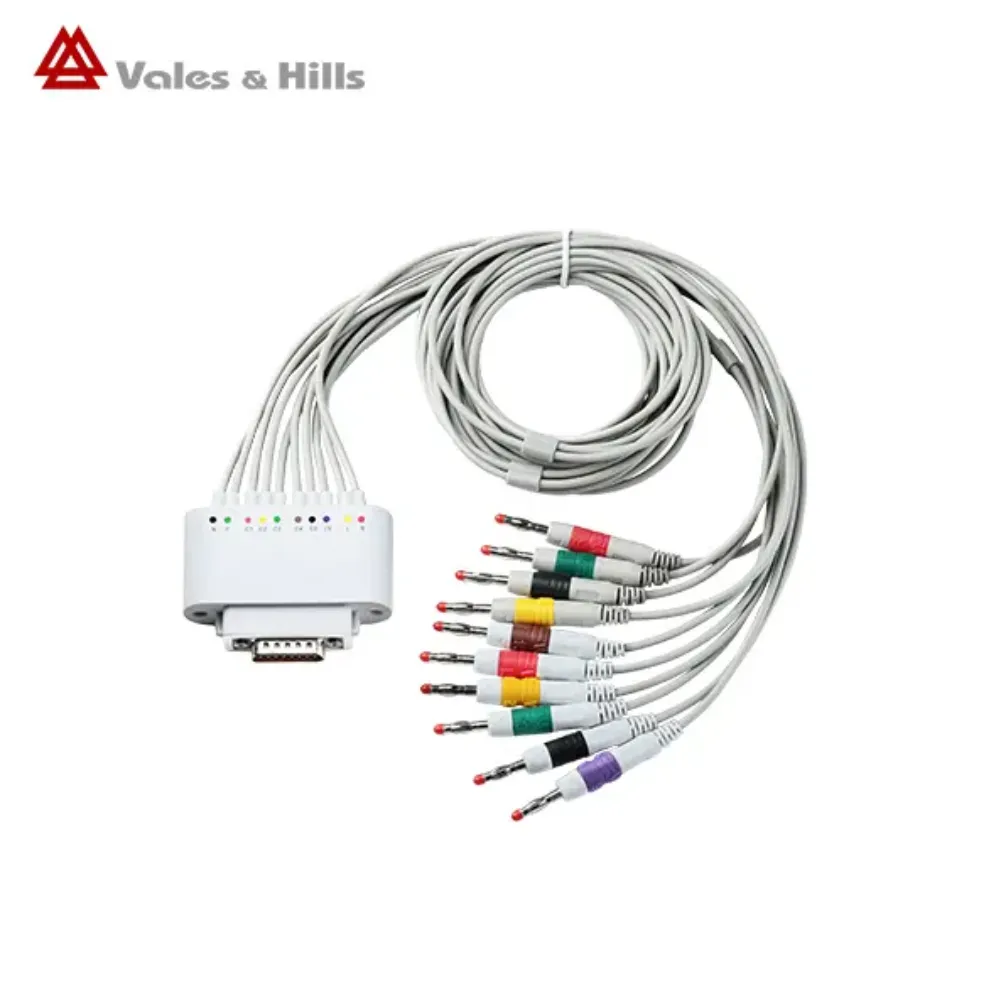
V&H’s iCV200(BLE) 10-lead cable page names three end options: banana, clip, and snap. It describes banana ends for suction and extremity electrodes, and clip or snap ends for disposable ECG electrodes. Confirm the selected option in the actual order description.
The separate iCV200S cable listing describes banana ends, with adapters for disposable patch electrodes. Keep each description tied to its named model. Ask V&H which cable and adapter identifiers apply to your recorder revision, rather than combining options from the two pages.
Cable colour isn’t enough. Record the labeling convention and the electrode connection your team requires, then have the supplier identify the matching assembly. Photos can help them identify an existing part, but send the label details alongside the photos.
Hypothetical example: Alex manages replacement supplies for a clinic with one iCV200(BLE) and one iCV200S. They initially prepare a request for two identical “wireless ECG cables.” After checking the separate listings, Alex creates two model rows and adds the current cable-end photos. They ask the supplier to confirm each replacement before placing the order.
Alex now has a clear parts request for each recorder. The two models no longer share one vague order line. This is an illustrative scenario, not a V&H customer case.
Compare identifiers rather than broad descriptions
Other manufacturers show why exact descriptions matter. The Baxter ECG accessory catalogue lists WAM/AM12 10-wire AHA clip lead set 9293-047-60 separately from banana-end options. That part number applies to the equipment Baxter names. It does not show that the part works with V&H.
Use that level of detail to compare quotes for wireless ECG accessories. Check whether each quote covers a whole cable, spare lead wires, adapters, or electrodes. Two lines labeled “patient cable” can describe different quantities and assemblies.
Check electrode generation and pack size
For ECG electrodes and lead wires, record the device, plug type, intended use, and pack size. Follow the electrode labeling and current device instructions when choosing supplies. Don’t assume a description such as “adult ECG electrode” resolves every requirement.
Wellue provides a useful example of generation-specific selection. Its ECG monitor accessory page separates 4.0 mm patches for its ECG Recorder with Screen made after August 2024 from 3.5 mm patches for units made before August 2024. For a unit made during that boundary month, ask Wellue which version applies.
Those dimensions and dates describe Wellue’s products. They are not V&H specifications. Before you choose a patch, check the recorder label and its approved parts list.
Plan power, printing, and the mobile host
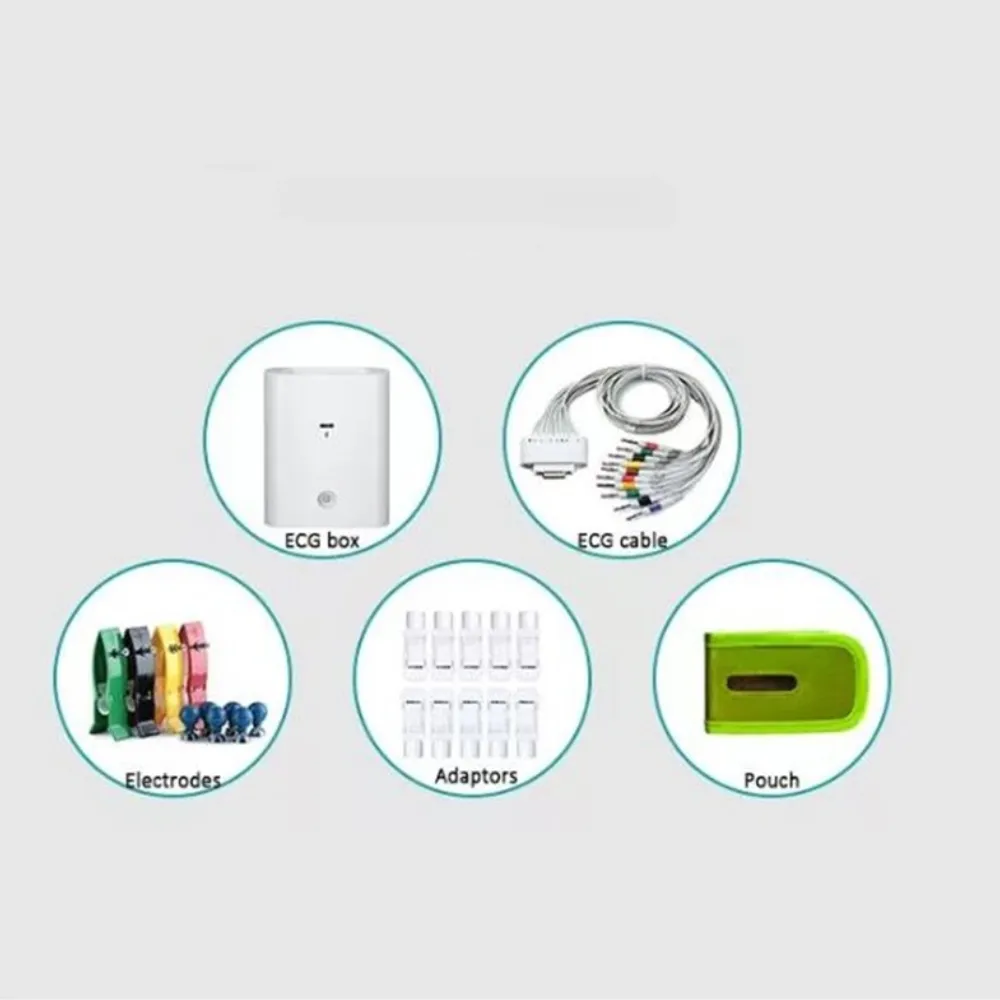
The accessory list should follow the examination through to the report. Decide where staff will record the ECG, where they will review it, and where they need a paper copy. Then identify the equipment needed at each point.
This avoids treating Bluetooth ECG accessories as a single universal bundle. Patient cables, the mobile host, and a printer can each have separate requirements. The host’s charging cable is also a different purchasing item from the patient cable.
Confirm the Android printer association
V&H’s 8000T portable ECG printer listing describes report printing for Android iCV200 through aECG. The page’s packing list names a printer, charging head, and USB data cable. Ask what the current order includes and which setup it supports.
Before adding a portable ECG printer, confirm the application version, supported host, connection method, and paper specification. Ask whether paper is included and how to order more rolls or sheets. Check the power supply and plug for the delivery country.
A printer association with Android iCV200 does not establish support for an iOS setup or every Android phone. It also does not tell you how long a charge lasts in your workflow. If those details affect your choice, ask for current data and a demo of the proposed setup.
Include the host in the equipment plan
Record the tablet or computer model, operating system, and ECG application. If you plan to reuse a host, ask the supplier to check the whole setup. List any stand, case, or carry bag you need, then check whether V&H can supply it.
The Android and PC ECG workflow comparison provides broader context for choosing the host. Keep the accessory decision tied to the selected setup. If you change the host platform, check the printing and power needs again.
Prepare a model-specific inquiry: List your recorder, host, application, and printing requirement together. Ask V&H to identify the proposed accessories and mark each item as included, optional, or supplied by your organization.
Stock wireless ECG accessories for routine use
Separate items used up during examinations from reusable equipment and replacement parts. Electrodes and printer paper belong in a different stock calculation from patient cables or chargers. A useful inventory shows what is in stock, which devices it serves, and who checks it.
| Item group | What to record | What to check before reordering |
|---|---|---|
| Patient cables and adapters | Approved model and part number | End type, whole cable or spare wire, current instructions |
| Single-use supplies | Electrode or paper identifier and pack size | Use rate, stock on hand, expiry and storage rules |
| Power and reporting items | Named host or printer and approved supply | Exact setup, included items, and any changed device requirements |
Base consumable quantities on your own workload
Start with the examinations your service expects, then apply the consumption pattern for the approved setup. Compare the resulting number with the supplier’s unit of sale. A box, a pouch, a set, and an individual electrode are different units.
For a purely illustrative calculation, suppose a service plans 40 examinations and its approved setup uses 10 single-use electrodes per examination. That planning assumption gives 400 electrodes before any locally chosen reserve. It is not a V&H usage specification or a recommendation for every ECG workflow.
Check expiry dates, storage rules, and how to handle opened packs. Set a reserve based on past use, supply lead times, and local stock rules. Avoid applying an unsupported universal percentage to every clinic.
Hypothetical example: Sam is preparing a monthly order for a service planning 40 examinations under the assumptions above. One quote says “four packs” without stating the contents. Sam asks how many electrodes each pack holds, then checks the quote against the 400-electrode plan.
With that answer, Sam can compare equal units and record how many to order. The example illustrates purchasing arithmetic only; it does not claim a saving, a clinical result, or an actual V&H order.
Keep reusable parts linked to their instructions
Follow the current instructions for cleaning, inspection, storage, and replacement of each reusable accessory. Confirm who performs these tasks and where the relevant document is kept. Don’t replace those instructions with a general cleaning recipe from the web.
If a cable appears damaged or develops an unexplained fault, follow your organization’s equipment procedure and the manufacturer’s guidance. A new cable purchase should not stand in for investigating an unresolved system problem. Ask the technical team to assess the issue and identify the required part.
For spare wireless ECG accessories, label the storage location with the approved model and part number. Keep unverified or returned parts separate while their status is checked. This makes the parts register useful in daily work rather than only at the time of purchase.
What to include in an accessory inquiry
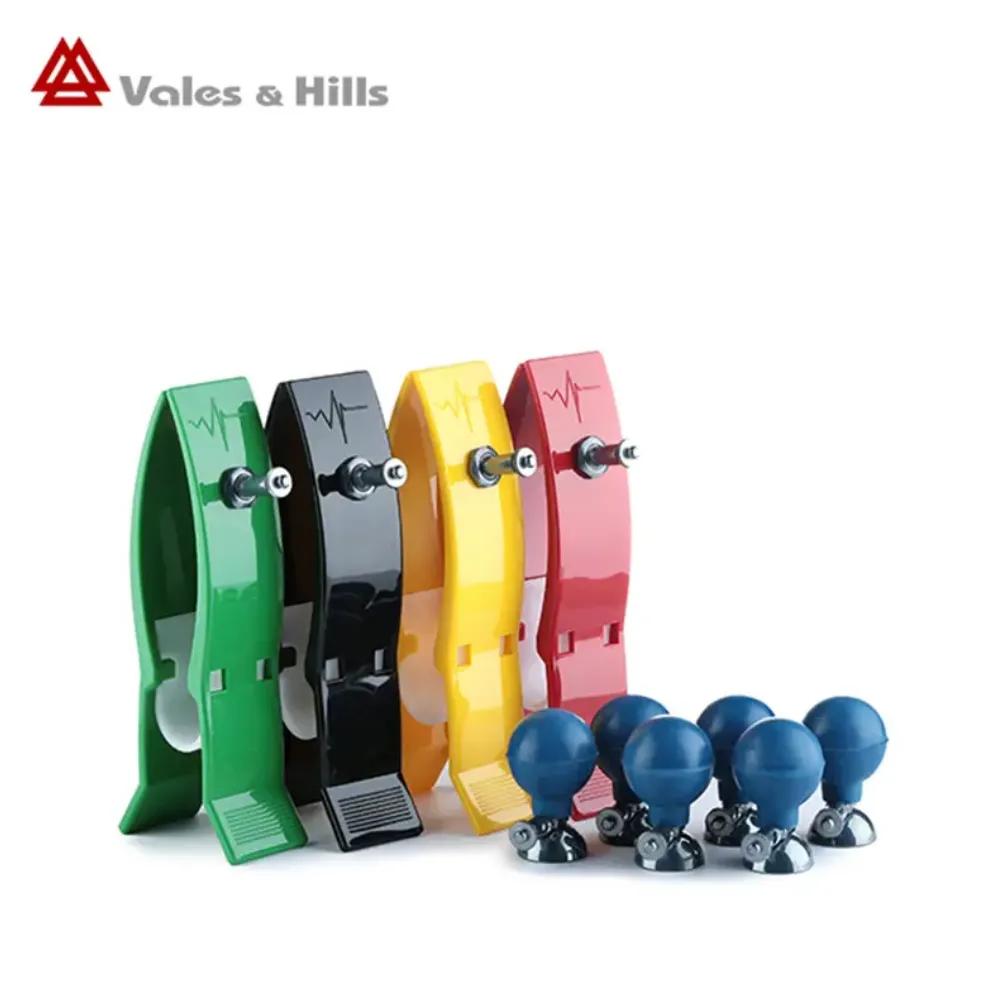
A good inquiry allows the supplier to identify the part and your team to judge the response. State whether you are replacing an existing accessory or assembling a new kit. For replacements, include the existing label and any known issue without sending patient information.
Use these fields as a starting point:
- Equipment: Manufacturer, full recorder model, serial number, and revision if shown
- Workflow: Intended examination, host device, operating system, and ECG application
- Part: Existing identifier, connection details, required labeling, and clear photos where helpful
- Quantity: Individual pieces, complete sets, packs, and the number of units in each pack
- Scope: Included accessories, optional additions, consumables, and items you already own
- Destination: Delivery country, applicable documentation needs, and power plug where relevant
- Terms: Current price and currency, shipping basis, estimated supply timing, warranty, and returns
For wireless ECG accessories bought through a dealer, ask who checks part fit and deals with a wrong order. Keep the final written specification with the purchase record. The invoice should identify the agreed part number and unit count.
Are accessories included with the recorder?
Check the exact quotation and packing list. A part shown in the same catalogue may still be sold on its own. Ask the supplier to mark required items as included, separately priced, or provided by your organization.
Can we use third-party replacement parts?
Ask for evidence that the exact part suits your recorder and meets its use and safety requirements. Your responsible technical team should review that evidence. A matching plug, familiar colour, or marketplace claim alone does not resolve the decision.
Can one charger serve every item in the kit?
Check each device’s documented power requirements and approved supply. Identify the recorder, host, and printer separately in the equipment list. Do not infer a shared charging arrangement from a USB connector or the fact that devices are used together.
How often should reusable accessories be replaced?
Use the manufacturer’s applicable replacement and inspection guidance alongside your equipment policy. There is no replacement interval established here for all V&H cables or other reusable parts. Record faults and replacements so future orders reflect the parts actually used by your service.
What should we check when an order arrives?
Check the delivered part numbers, model labels, plugs, and unit counts against the approved order. Check the instructions and supply labels, including expiry dates where relevant. Route any mismatch to the supplier before the part is released through your local equipment process.
Build a model-specific accessory list
Choose wireless ECG accessories around the equipment your team will use and the examination it performs. Begin with the recorder identity, then work through the patient cable, electrode connection, host, power, and report delivery. Give the supplier enough detail to check each item.
For V&H equipment, the separate iCV200(BLE), iCV200S, and Android printing listings provide useful starting points. Ask for current part numbers, supporting documents, and an itemized list of what the order includes. Keep catalogue options separate from items included in your purchase.
Bring the clinical, technical, and purchasing teams into the same review where their requirements overlap. The resulting list should tell staff what to reorder, where to find the supporting instructions, and whom to contact when a part changes. That record can support the next order as well as the first.
Request a V&H accessory configuration quotation with your recorder model, required connections, quantities, host platform, printing needs, and destination country. Ask for written confirmation of compatibility and supply scope before finalizing the order.
Post time: November 19, 2026


