


Portable electrocardiogram (ECG) devices make it possible to record heart electrical activity in different clinical environments. Compared with traditional stationary systems, portable devices offer greater flexibility in equipment placement and connection with compatible digital platforms. However, reliable operation depends on more than the recording equipment itself. Battery condition, accessory connections, wireless communication, and software availability all require attention.
For healthcare providers, distributors, and medical equipment buyers, understanding basic maintenance practices can help support consistent device operation and reduce avoidable interruptions during use. This guide explains what to check when maintaining a portable Bluetooth ECG Machine and introduces the key features of an iOS-compatible resting ECG system.
1. Check Battery Power Before Using an ECG Device
Battery condition is an important factor in the operation of Wireless ECG Machine. Unlike devices that rely directly on a fixed power supply, battery-powered equipment depends on sufficient stored energy to support its normal functions.
When battery power becomes insufficient, communication between the recording unit and a connected digital device may be affected. This can interrupt the connection and make the equipment less convenient to use.
Before using a portable ECG device, consider the following checks:
- Confirm that the batteries are installed correctly.
- Check whether the batteries have sufficient power.
- Replace depleted batteries when necessary.
- Use the battery type recommended for the equipment.
Regular battery checks are particularly useful in clinical environments where equipment may be used by different healthcare professionals throughout the day. Keeping suitable replacement batteries available can also help reduce interruptions caused by insufficient power.
2. Remove Batteries When the Device Is Not Used for an Extended Period
Battery management also involves knowing when to remove batteries. If a portable ECG device will remain unused for an extended period, leaving batteries inside may create a risk of battery leakage.
Leaking batteries can potentially damage electronic equipment and affect its future usability. Removing the batteries before long-term storage is therefore a practical precaution.
Used batteries should also be handled responsibly. Instead of disposing of them with ordinary household waste, users should place them in designated battery recycling containers where available.
These simple practices help protect battery-powered medical equipment during periods of inactivity.
3. Check ECG Cables and Accessories Before Operation
An ECG recording system relies on several connected components to support its operation. These may include the acquisition unit, patient cables, and compatible adaptors.
Incorrectly installed or disconnected accessories can prevent the equipment from being prepared properly. Therefore, checking the connections before use is an important part of routine equipment preparation.
The following items should be checked:
- Patient cables: Confirm that the cables are installed correctly on the acquisition unit.
- Adaptors: Make sure the required adaptors are installed.
- Hardware connections: Check that the necessary components are connected before proceeding with software pairing.
ECG accessories should be compatible with the corresponding equipment. Users should follow the applicable product instructions when installing or handling these components rather than assuming that accessories from different systems are interchangeable.
4. Keep the Bluetooth Connection Ready
Wireless communication is another important consideration when using a portable ECG system. Bluetooth connectivity allows compatible recording equipment to communicate with a supported digital device without requiring a direct cable connection between the two.
For an iPad-based ECG workflow, the acquisition unit and software need to be paired before use. If the connection is not established correctly, communication between the two devices may be affected.
Before starting a recording session, users should:
- Confirm that the ECG acquisition unit has sufficient battery power.
- Check that the required hardware components have been installed.
- Make sure the compatible ECG application is available on the iPad.
- Complete the Bluetooth pairing between the acquisition unit and the software.
If communication problems occur, checking battery power and Bluetooth pairing is a reasonable first step.
Maintaining a ready wireless connection helps healthcare professionals prepare the equipment more efficiently and reduces unnecessary setup interruptions.
5. Keep the ECG Software Available and Ready for Use
Portable digital ECG equipment often works together with dedicated software running on a compatible device. The software provides the digital interface through which users access the system.
Before using an iOS-based ECG system, users should confirm that the required application has been downloaded and is available on the iPad or iPad mini.
It is also important to use the application intended for the specific ECG system. Software compatibility should not be assumed simply because another ECG application is available on the same device.
Checking software availability before a recording session helps avoid delays caused by incomplete installation or preparation.
6. iCV200S Resting ECG System with vhECG Pro
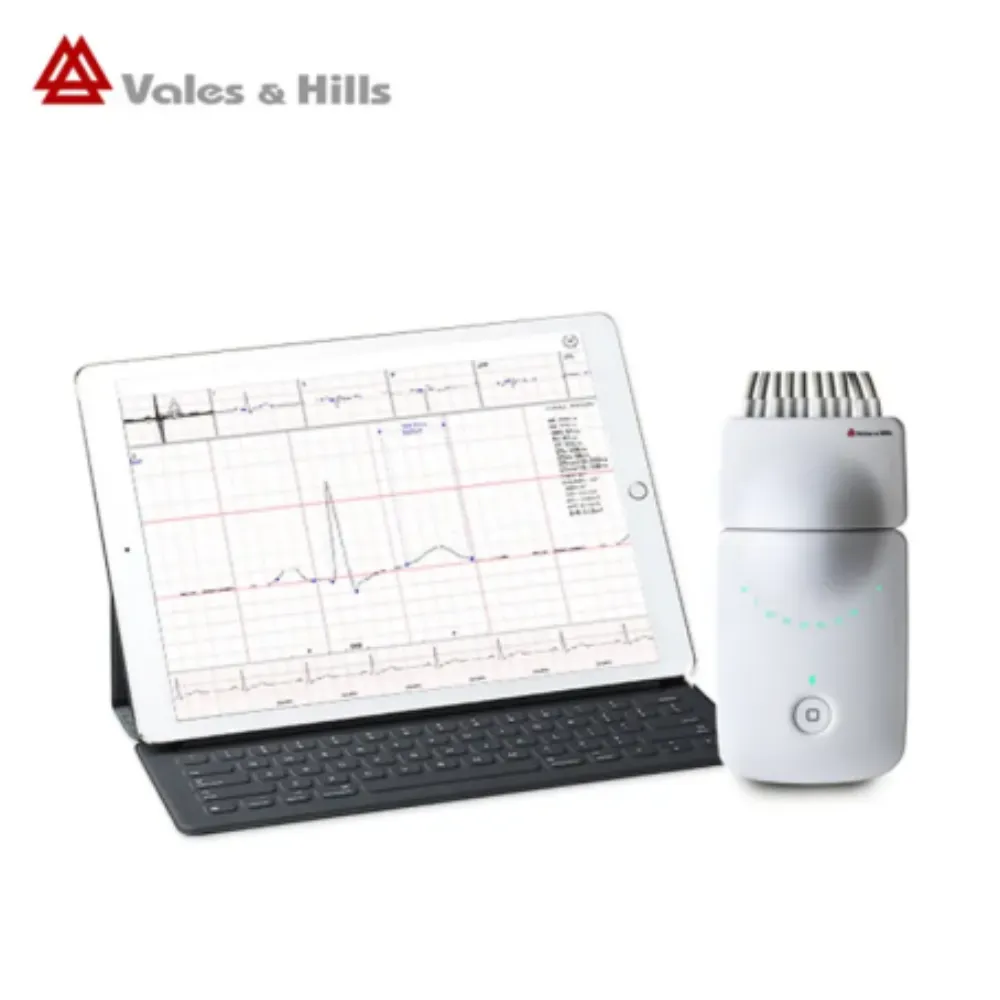
For healthcare providers looking for an iOS-compatible Bluetooth ECG solution, the V&H iCV200S Resting ECG System works with vhECG Pro, an application designed for use on an iPad or iPad mini.
The system combines a Bluetooth ECG acquisition unit with dedicated software, providing a wireless connection between the hardware and the supported iOS device.
Hardware Preparation
Before using the acquisition unit, users need to complete several basic installation steps:
- Load the batteries into the acquisition box.
- Install the patient cables.
- Install the adaptors.
- Pair the acquisition box with the software through Bluetooth.
The device uses 2 × AAA LR03 batteries for its power supply. Insufficient battery power may affect communication between the recorder and the iOS equipment.
Under normal use, the system can operate continuously for at least 8 hours. Users should check battery power before operation and replace the batteries when necessary.
If the equipment will not be used for an extended period, the batteries should be removed to reduce the risk of battery leakage.
Downloading the vhECG Pro Application
The vhECG Pro application is available through the Apple App Store. Users can search for “vhECG Pro” and download it using their Apple ID.
The basic download process is as follows:
- Sign in to the App Store with an Apple ID.
- Search for “vhECG Pro.”
- Select the application and download it to the iPad or iPad mini.
V&H also provides a promotional code option for eligible users. If a promotion code has been provided, users can redeem it through the App Store to download the application without charge.
After downloading the application, users can experience its demo version.
By combining the iCV200S acquisition unit with vhECG Pro, the system provides an iPad-based workflow for resting ECG use.
Conclusion
Maintaining a portable Bluetooth ECG device involves several practical steps, including checking battery power, removing batteries during extended periods of inactivity, inspecting hardware connections, and preparing the compatible software. These measures help reduce avoidable interruptions and support reliable equipment operation.
For healthcare providers and medical equipment distributors considering an iOS-based resting ECG solution, the V&H iCV200S Resting ECG System works with vhECG Pro on compatible iPad devices. Its battery-powered acquisition unit and Bluetooth connection provide a wireless approach to resting ECG system operation.
To learn more about the iCV200S Resting ECG System and other ECG solutions, contact the V&H team for further product information.
FAQs
1. How often should I check the battery of a portable Bluetooth ECG device?
Battery power should be checked before use to ensure sufficient power for normal operation and Bluetooth communication. Replace the batteries when necessary.
2. What batteries does the V&H iCV200S Resting ECG System use?
The iCV200S uses 2 × AAA LR03 batteries and can operate continuously for at least 8 hours under normal use.
3. Which software is compatible with the iCV200S Resting ECG System?
The iCV200S works with vhECG Pro, an application available through the Apple App Store for compatible iPad and iPad mini devices.
Post time: November 27, 2026


